
Customer Due Diligence (CDD)
2Shakes helps you record the Customer Due Diligence for AML/CTF for each entity on your agreement.
AML Customer Due Diligence
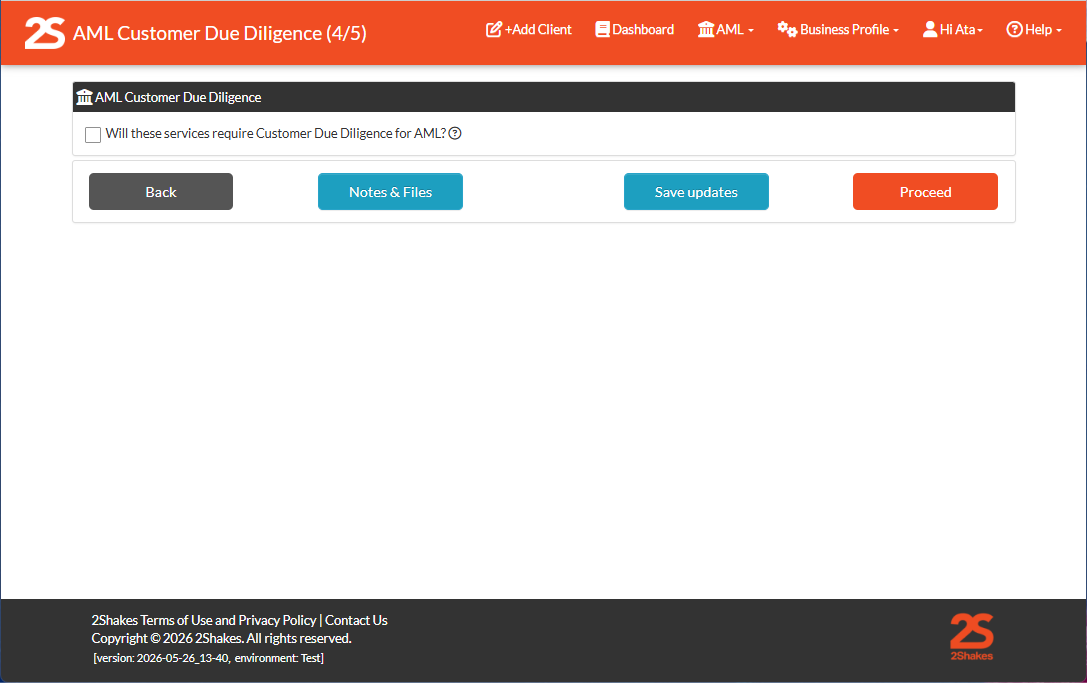
You will automatically open the AML Customer Due Diligence section when you select the tick box
“Will these services require Customer Due Diligence for AML?’
as part of the client onboarding process on page 4 of 5.
NOTE: You choose when AML CDD will be done in line with your AML/CTF program. If you are not offering AML/CTF designated services for all clients you may not need to complete AML/CTF for all clients.
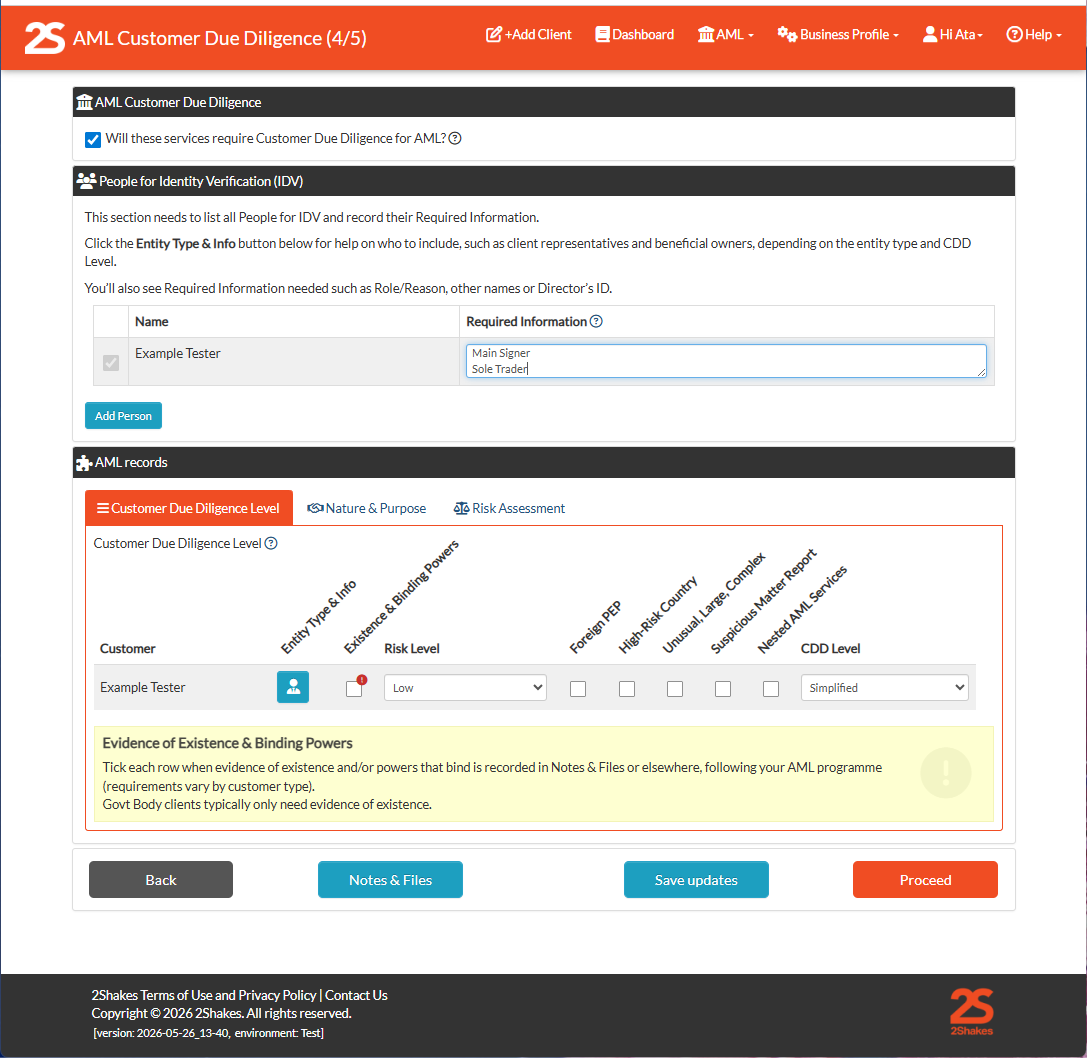
When you select this check box you will see two sections:
People for Identity Verification (IDV)
AML Records sections.
The AML Record sections has three tabs:
Customer Due Diligence
Nature & Purpose
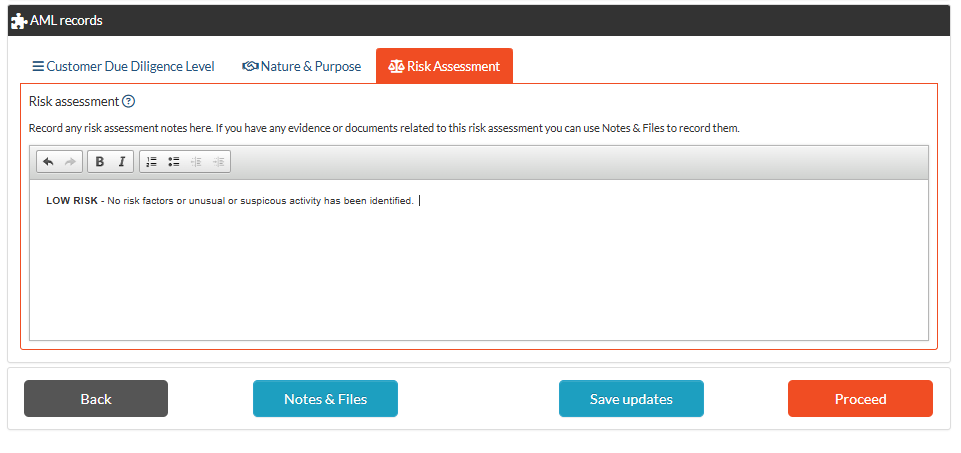
Risk Assessment
These two sections allow staff to capture AML/CTF Customer Due Diligence information as part of the onboarding process.
People for Identity Verification (IDV)
The first section on the AML Customer Due Diligence page is the People for Identity Verification (IDV). To comply with AML/CTF you need to add the names of all clients, their representatives and any beneficial owners.
Need Help?
Click on the Entity Type & Info button in the AML Record section below to see help specific to the entity type that applies to each customer. More help with a list possible Beneficial Owners is on our website here.
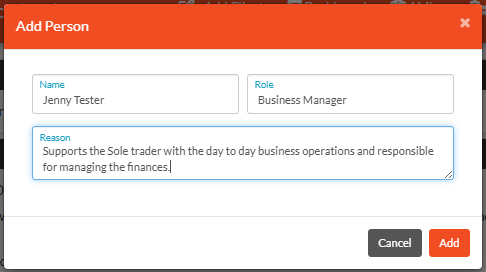
Add Person
Use the blue Add Person button to open a pop up box where you can enter the name, role and reason the person needs to be added for AML CDD ID verification.
Continue to add people to this section until you have everyone required, (you can choose if & how you ID verified them later). Create a complete list to show sufficient due diligence for your AML/CTF records.
AML Records - Nature & Purpose
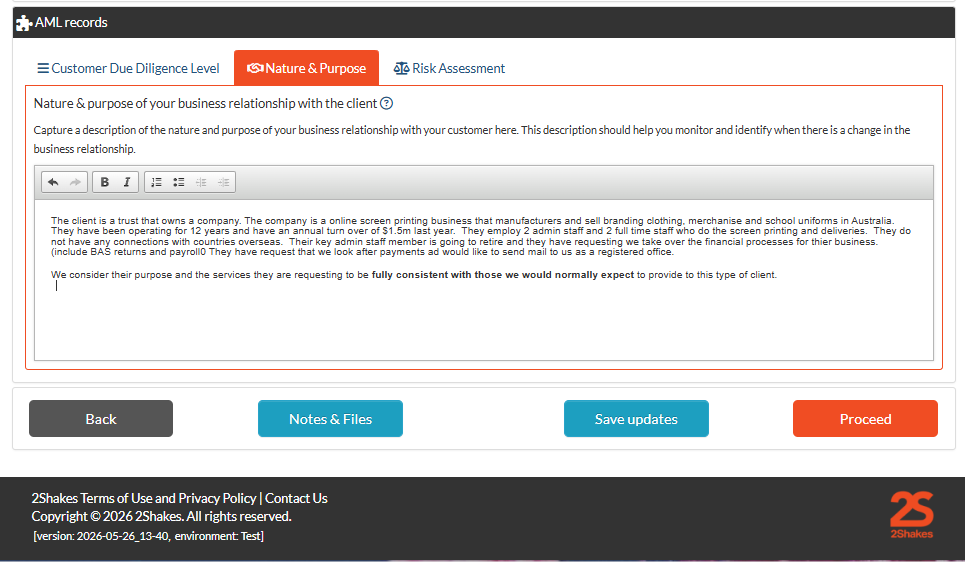
Click on the second tab in the AML Record section to record the Nature & Purpose. Here you will record a description of the client and why they are engaging you so you can consider if there is anything unusual or suspicions. The information you record here helps you monitor clients for OCDD as it will help you recognise any material change in client behavior over time.
AML Records - Customer Due Diligence Level
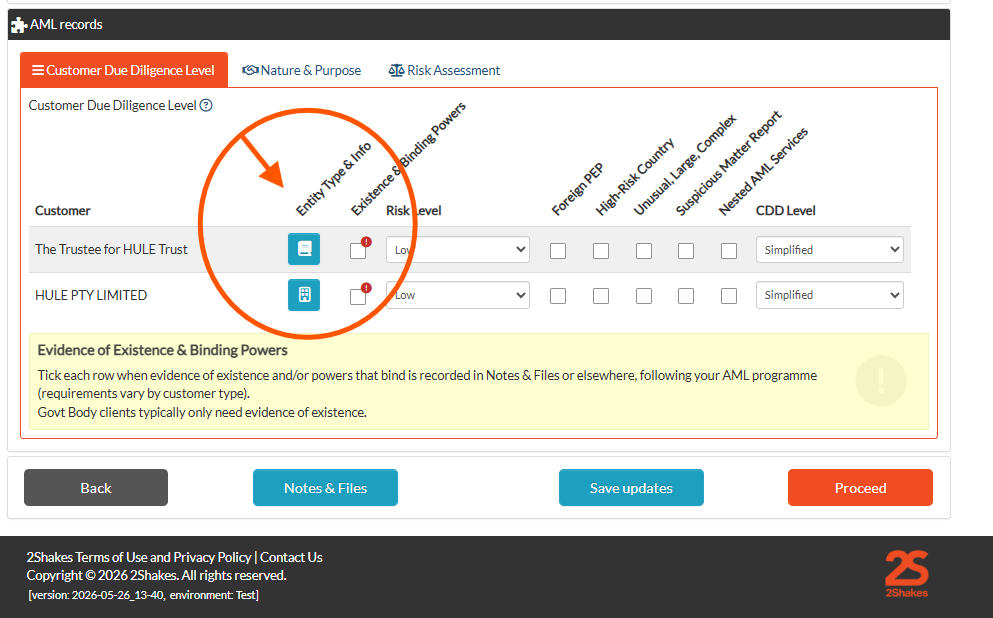
The name of every customer entity that is a party to the agreement’s will show in this section. Against each you need to:
Select an Entity Type & Info button to o set entity type, see ABN info, get help and additional other names
Tick the Existence & Binding Powers check box to confirm a record of this being collected
Use the Risk Level drop down box to record the clients ML/TF risk level
Tick the High Risk Factor check boxes to record when these exist
Use the CDD Level drop down to record what applies for each client.
Need Help?
Click on the Entity Type & Info button to see help specific to the entity type that applies to each customer.
Record in this section:
The purpose of the business relationship.
Why they’re requesting a service and what they will do with the services provided
The type of business or entity they are, the purpose they were established for, the industry, indicative turn over, staff employed, members.
Geographical region they operate in or any countries they connect to.
Record if this is consistent with what you would normally expect to provide to this type of client
Enter as much information as you have available. If you leave this field is blank you will be warned, but can progress and capture, add or update the Nature & Purpose information later.
Risk Assessment
Click on the third tab in the AML Record section to record Risk Assessment notes. This tab allows you to record you decision making process to support the Risk Level and CDD level you selected in the Customer Due Diligence tab.
Enter as much information as you have available. If you leave this field is blank you will be warned, but can progress and capture, add or update the Nature & Purpose information later.
More Help
Didn’t find what you need here? You can find lots more help on our AML/CTF Resources & How to Guides page.
Or you can contact us or email us at support@2shakes.com.au and we can help you with what you need to know.